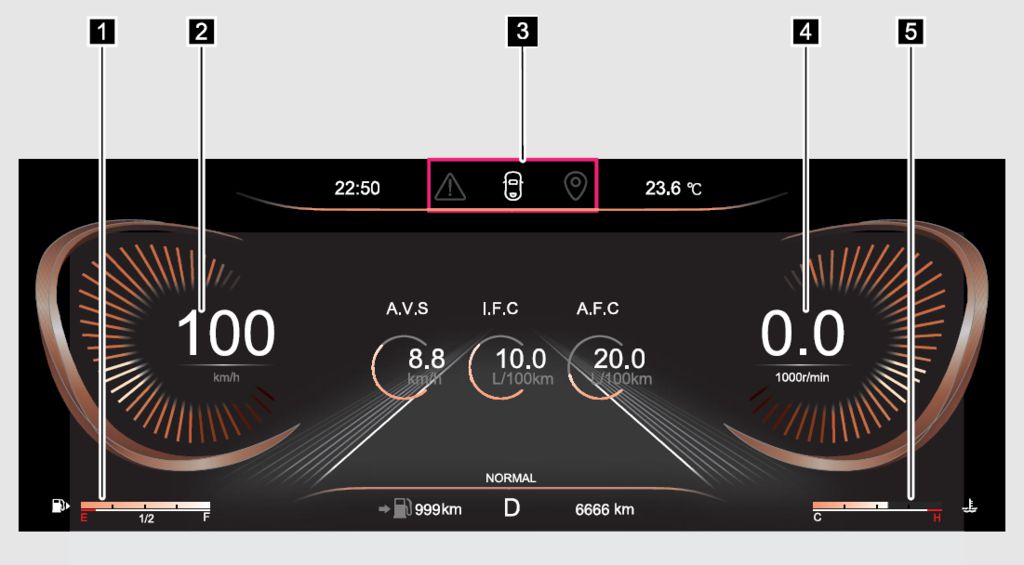
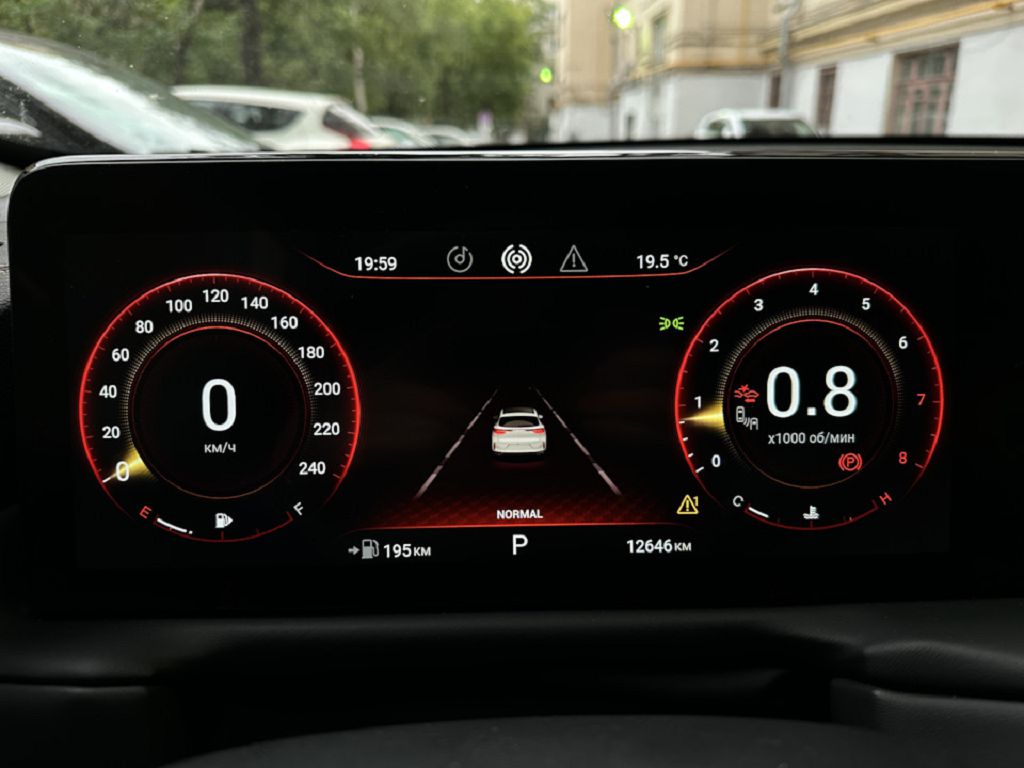
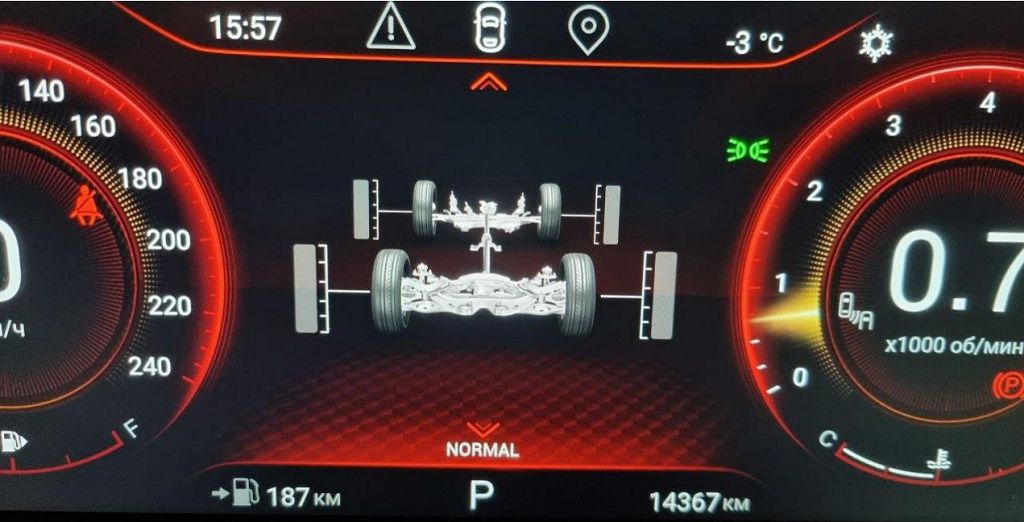
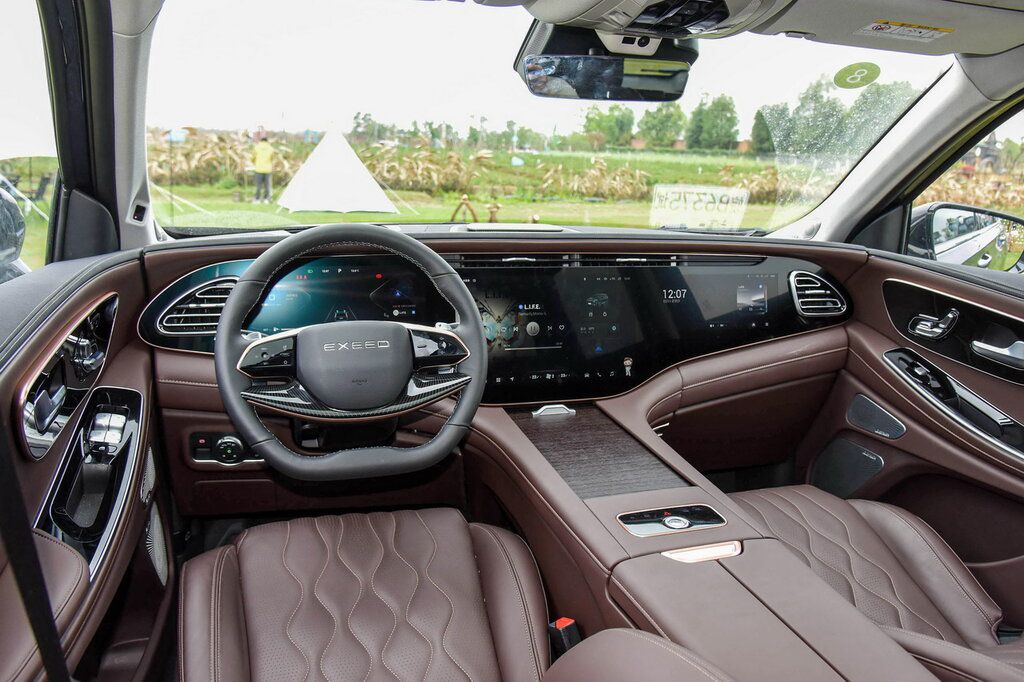
Okay, let’s dive right into the EXeed VX instrument panel. First up, we’re going to take a good look at the dashboard itself. Notice how sleek and modern the design is? It’s a fully digital display, which means everything is shown on a screen, no more traditional needles and gauges. This gives the EXeed VX a really high-tech feel. We’ve got a large central speedometer, prominently displayed, of course, and flanking it you’ll see the tachometer and fuel gauge. But it’s not just about the basics. There’s a wealth of information packed into this display. You’ll find readouts for your average fuel consumption, trip distances – both A and B trips, so you can track multiple journeys – and even your current gear if you’re driving a manual transmission. There are also warning lights, clearly indicated, for things like low fuel, engine malfunction, and other critical systems. The display itself is very crisp and clear, even in bright sunlight, which is a huge plus. The resolution is excellent, making all the information easy to read at a glance, even when you’re driving. Take a close look at how the graphics are presented; they’re intuitive and easy to understand, even for someone who’s never driven an EXeed VX before. The layout is well-thought-out, prioritizing the most important information. You’ll also notice the customizable options; you can choose what information is displayed prominently and what’s relegated to secondary screens. It’s a very user-friendly system.
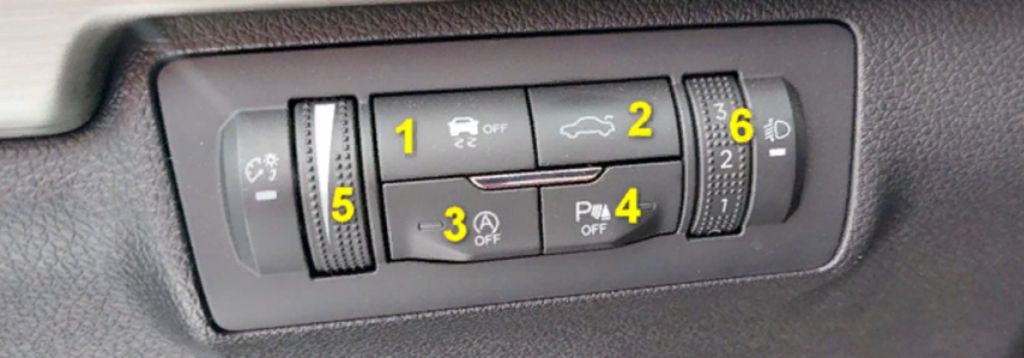
Now, let’s talk about brightness adjustment. This is crucial, especially if you’re driving in areas with varying light conditions. You don’t want your dashboard to be too dim at night, making it hard to read, or too bright during the day, creating a glare that distracts you. The EXeed VX instrument panel offers a very convenient brightness control. It’s usually accessed through the steering wheel controls – you’ll see a dedicated button or a section within the menu system. You can typically adjust the brightness in several steps, from very dim to very bright, allowing you to find the perfect setting for any time of day. It’s a simple process, and you’ll quickly get used to adjusting it as needed. I recommend experimenting with different settings to find what works best for your eyes and driving conditions. Remember, a well-adjusted brightness level contributes significantly to safe driving. Don’t underestimate the importance of this seemingly small feature. It can make a big difference in your overall driving experience and safety. And remember, if you’re ever having trouble adjusting the brightness, consult your owner’s manual – it has detailed instructions and troubleshooting tips.
Now, let’s address some typical errors you might encounter with the EXeed VX instrument panel. While generally reliable, there are a few issues that some owners have reported. One common problem is a flickering display. This can be caused by a variety of factors, from loose connections to software glitches. If you experience this, try restarting your vehicle. If the problem persists, it’s best to take your EXeed VX to a qualified mechanic for diagnosis and repair. Another issue that some drivers have reported is a blank or unresponsive display. This is usually a more serious problem and often points to a deeper electrical issue. Again, in this case, professional help is necessary. Don’t attempt to fix this yourself, as you could potentially cause further damage. Finally, some users have reported inaccurate readings on certain gauges, such as the fuel gauge or the temperature gauge. If you notice any discrepancies, it’s important to address them promptly, as inaccurate readings can affect your driving decisions. Remember, regular maintenance and timely repairs are key to keeping your EXeed VX’s instrument panel functioning correctly. And always consult your owner’s manual for troubleshooting tips and advice.
So, let’s dive straight into the EXEED VX instrument panel, specifically focusing on the firmware, some common errors, and the differences you’ll see in the restyled model.
First up, the firmware. This is the unsung hero of your instrument panel, the software that makes everything tick. Think of it as the brain controlling all the displays, the warnings, and the information you see. Now, keeping your EXEED VX’s firmware updated is crucial. Outdated firmware can lead to all sorts of problems, from minor glitches to complete system failures. You might experience things like flickering displays, inaccurate readings on your speedometer or fuel gauge, or even complete blackouts of the entire panel. Checking for updates regularly is a simple preventative measure that can save you a lot of headaches down the line. Many owners overlook this, but it’s really worth the effort. You’ll usually find instructions on how to check for and install updates in your owner’s manual, or you can probably find helpful videos online showing you the exact steps for your specific model year. Remember, a happy firmware means a happy instrument panel!
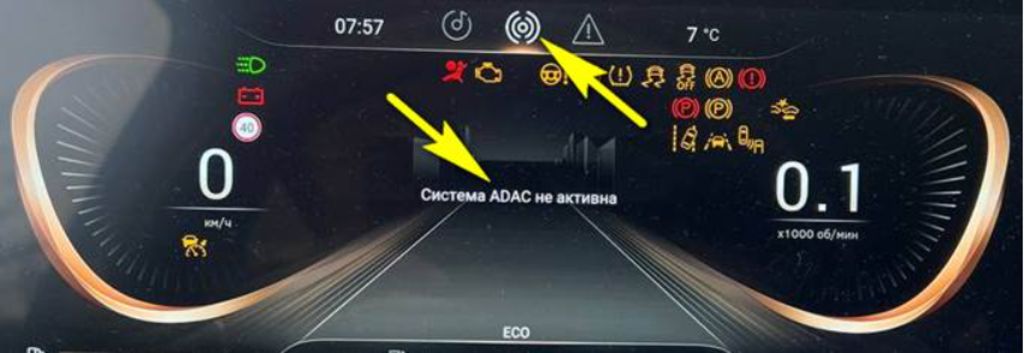
Next, let’s talk about a particularly frustrating error message: «ADAC system inactive.» This message usually pops up when there’s a problem with your vehicle’s Advanced Driver-Assistance Systems, or ADAS. This could be anything from a faulty sensor to a more serious electrical issue. The ADAS includes features like lane departure warnings, adaptive cruise control, and automatic emergency braking. When the ADAC system is inactive, these safety features are disabled, which is obviously a significant concern. If you see this message, don’t ignore it. It’s not just an annoying pop-up; it’s a warning that something needs attention. The first step is to consult your owner’s manual to see if there’s any troubleshooting advice. Sometimes, a simple restart of the vehicle can resolve the issue. However, if the problem persists, you’ll need to take your EXEED VX to a qualified mechanic for diagnosis and repair. They’ll be able to pinpoint the exact cause and get your ADAS back up and running safely. Don’t delay this – your safety depends on it.
Finally, let’s compare the instrument panel in the standard EXEED VX to the restyled version. The differences might seem subtle at first glance, but there are some key improvements. The restyled model often boasts a higher-resolution display, offering sharper graphics and more detailed information. You might also notice changes in the layout of the information, with some elements rearranged for better readability and ease of use. The overall aesthetic is usually updated as well, with a more modern and sleek design. While the functionality remains largely the same, the visual improvements in the restyled version make a noticeable difference in the overall driving experience. If you’re considering buying a used EXEED VX, paying attention to these subtle differences can help you determine which model year offers the best features and overall user experience. It’s all about those little details that add up to a big difference.