Okay, let’s dive right into this Changan UNI-K’s OEM stereo system. I’ve been using it for a while now, and I’m really impressed with what it offers for a factory-installed unit.
First off, the device overview. It’s a pretty sleek-looking unit, seamlessly integrated into the dashboard. The screen size is generous, I’d say around TEN inches, maybe a little more. The resolution is crisp and clear, even in direct sunlight. The touch responsiveness is excellent; no lag or frustrating delays. The physical buttons are well-placed and easy to use, even while driving. The overall build quality feels premium; it doesn’t feel cheap or flimsy at all. It’s got a nice, solid weight to it. You can tell they didn’t skimp on materials here. The sound quality is also surprisingly good. It’s not going to replace a high-end aftermarket system, but for a factory stereo, it’s really impressive. The bass is decent, the mids are clear, and the highs are bright without being harsh. I’ve been listening to everything from podcasts to heavy metal, and it handles it all pretty well. The volume is also plenty loud enough, even at highway speeds with the windows down.
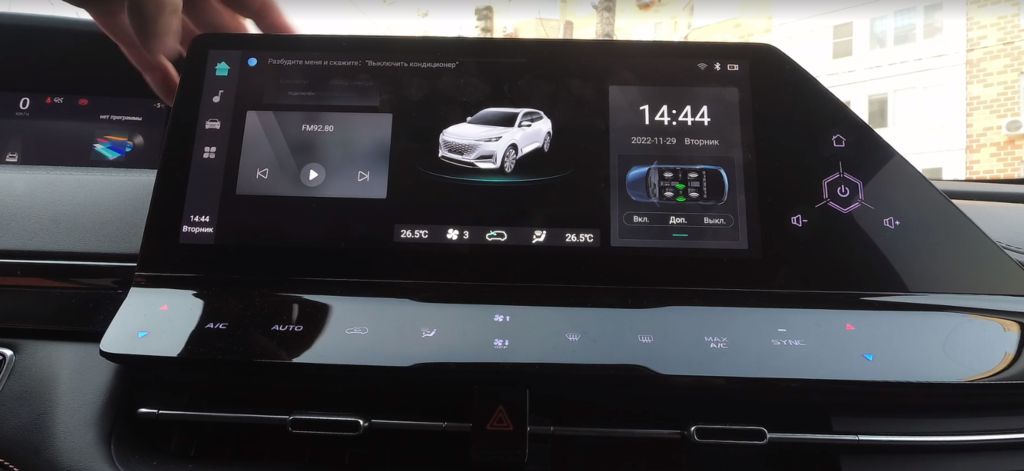
Now, let’s take a look at the home screen. It’s clean and intuitive. The layout is simple, with large, easily accessible icons for your most frequently used apps. You’ve got your music player, navigation, phone, and settings all readily available. There’s also a customizable shortcut bar at the bottom, where you can add your favorite apps for even quicker access. The overall aesthetic is modern and minimalist, which I really appreciate. It’s not cluttered or overwhelming, which is a huge plus. The animations are smooth and responsive, adding a nice touch to the overall user experience. The clock and date are prominently displayed, and the background can be customized to your liking. You can choose from a variety of pre-set wallpapers, or even use your own photos.
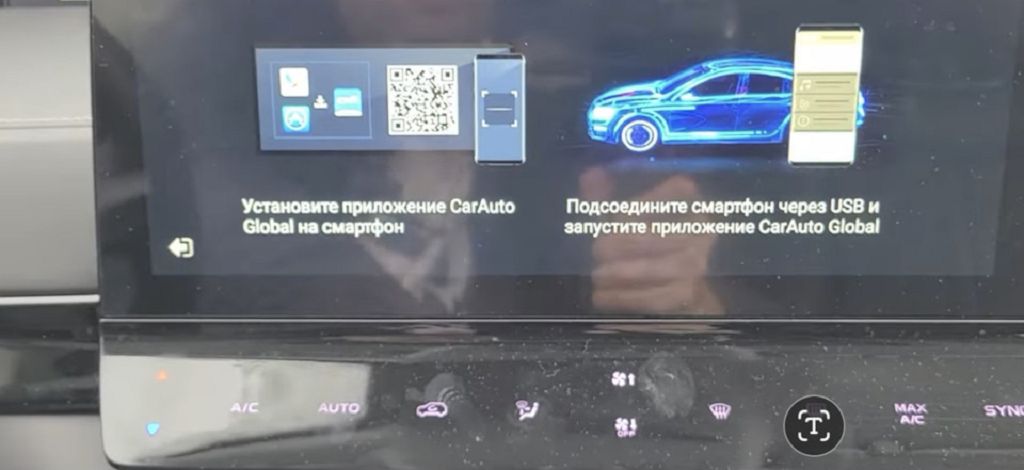
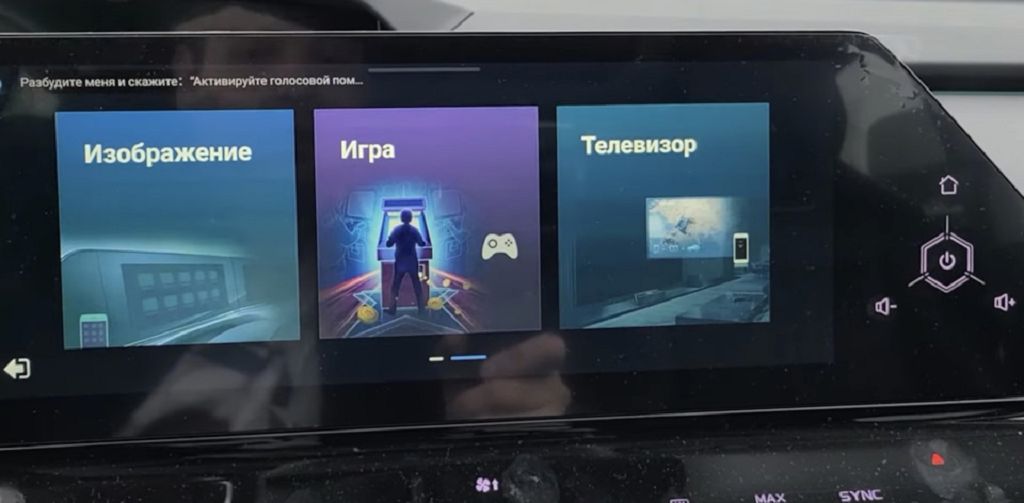
Finally, let’s explore the application screen. This is where things get really interesting. The system runs on Android, which means you have access to a massive library of apps. I’ve downloaded a bunch of apps already, including navigation, music streaming services, podcasts, and even some games. Everything runs smoothly and without any noticeable lag. The app store integration is seamless, making it easy to find and install new apps. The system also supports screen mirroring, so you can easily connect your smartphone and share content from your phone onto the car’s display. This is a fantastic feature for navigation, music, and even video playback. The overall experience is very user-friendly and intuitive. Even if you’re not tech-savvy, you’ll be able to navigate the system with ease. The Android OS really opens up a world of possibilities, making this OEM stereo far more versatile than many others on the market.
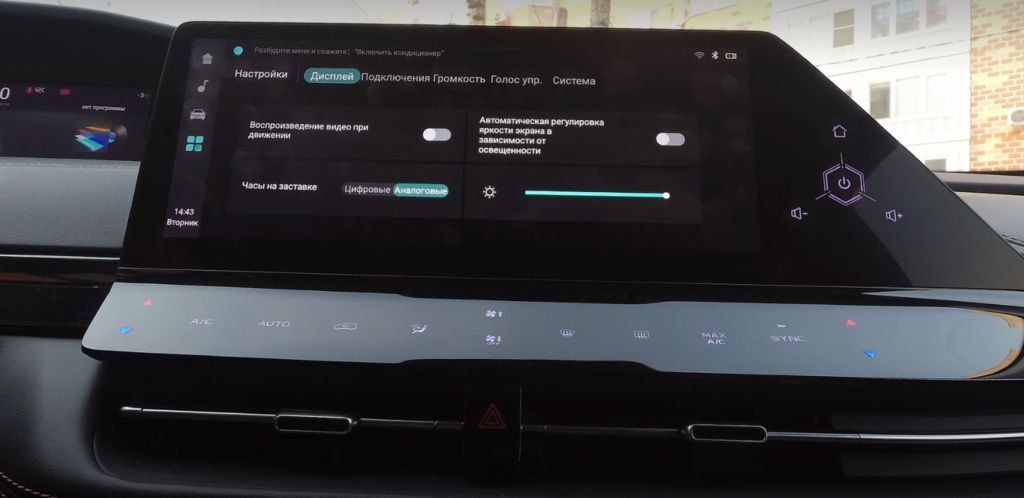
Okay, let’s dive right into the settings screen of this Changan UNI-K’s OEM stereo. You’ll find it’s surprisingly intuitive, even if you’re not familiar with Changan’s interface. First thing you’ll notice is the layout – it’s clean and uncluttered, which is a huge plus. We’ve got quick access to things like audio settings, display brightness, and even a nifty customization option where you can change the background theme. There are a TON of options for tweaking the audio equalizer, so you can really fine-tune the sound to your liking. I spent a good amount of time playing around with the different presets and custom settings, and I was impressed with the level of control you get. Don’t forget to check out the display settings – you can adjust the brightness, contrast, and even the color temperature to suit your preferences and driving conditions. It’s all very straightforward, and the on-screen prompts are clear and easy to follow. Seriously, navigating this menu is a breeze.
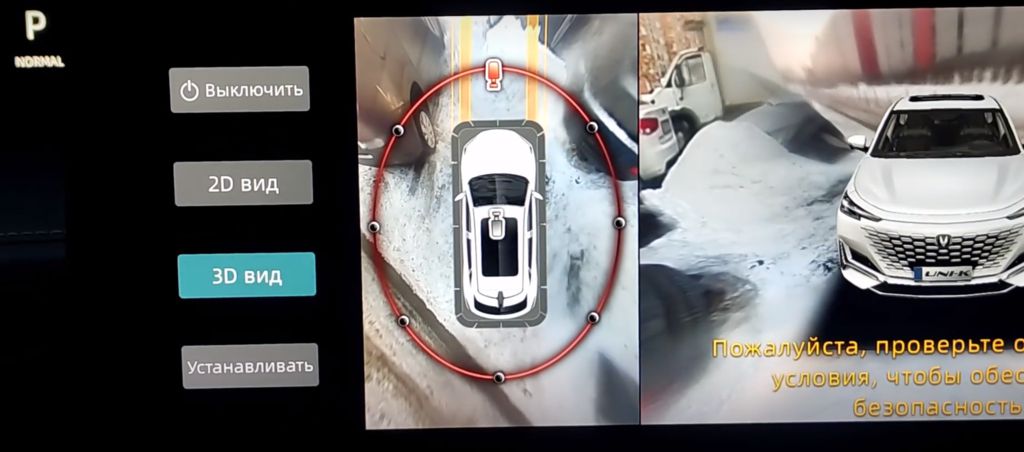
Now, let’s talk about the Around View Camera system. This is a game-changer, especially for parking in tight spaces. The FOUR cameras provide a near-THREE HUNDRED SIXTY-degree view of your surroundings, giving you a bird’s-eye perspective that’s incredibly helpful. The image quality is sharp and clear, even in low light conditions. I was particularly impressed with how well it handled reflections and glare. You can also switch between different camera views – a standard rearview, front view, and even individual side views – depending on what you need. The system is incredibly responsive, and the image updates smoothly, making it easy to maneuver the car with confidence. I’ve used similar systems in other cars, and this one definitely ranks among the best I’ve experienced. It’s a feature I’d highly recommend if you’re considering this vehicle.
Finally, let’s activate the Changan Link function. This is where things get really interesting. Changan Link is essentially the car’s infotainment system, and it’s deeply integrated with the Android operating system. Think of it as a giant Android tablet built into your dashboard. You can download apps, stream music, use navigation, and even make phone calls, all through the touchscreen interface. The process of activating it is simple; you just need to follow the on-screen prompts. Once it’s up and running, you’ll have access to a massive library of apps through the built-in app store. The responsiveness is excellent, and the interface is intuitive and easy to navigate. I spent some time exploring the different apps and features, and I was really impressed with the overall user experience. It’s a seamless blend of car technology and the familiar Android interface, making it a truly enjoyable experience. The integration with my phone was also flawless; it connected instantly and allowed me to access all my contacts, messages, and music without any issues.