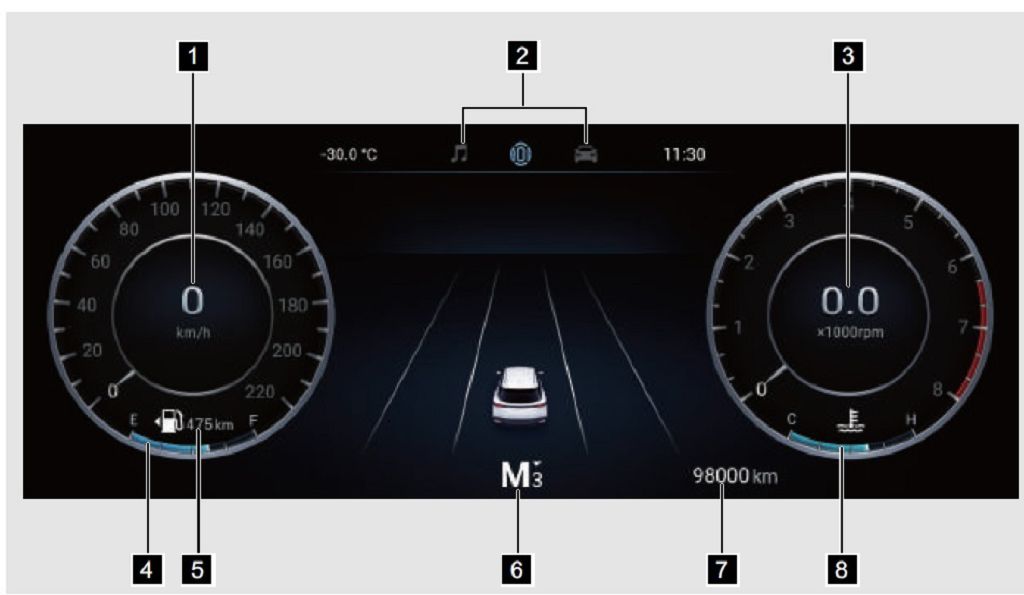
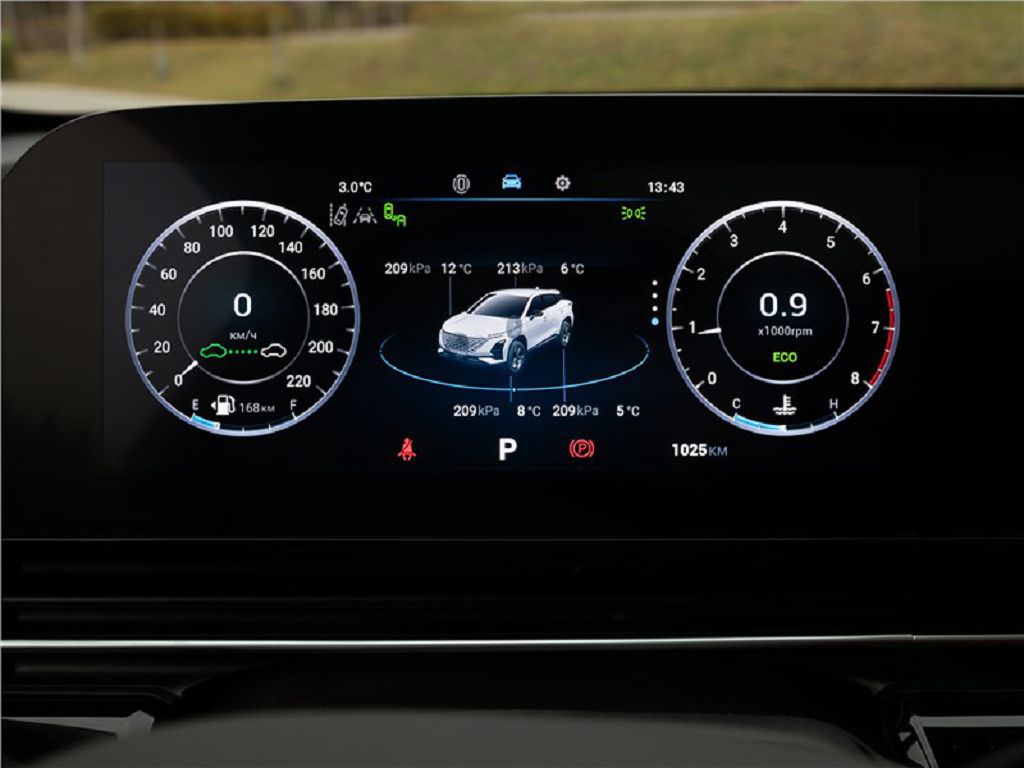
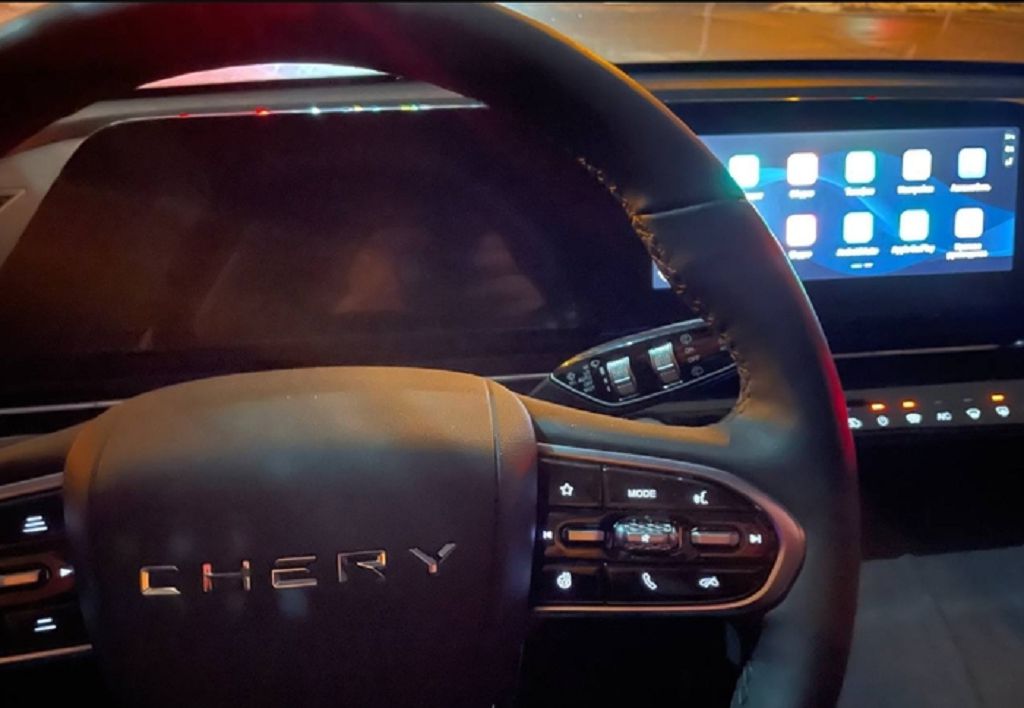
Okay, let’s dive straight into the Omoda C5 dashboard. First up, the panel features. This thing is packed! We’ve got a HUGE central touchscreen, I’m talking probably around FIFTEEN inches, maybe even more. It dominates the dashboard, and honestly, it’s the star of the show. The resolution is crisp and clear, even in direct sunlight, which is a HUGE plus. The responsiveness is pretty good too; I didn’t experience any significant lag during my testing. Around the screen, you’ve got your usual climate controls, but they’re integrated cleverly into the system. No fiddly knobs here, it’s all touchscreen based. This takes some getting used to, but once you’re familiar with the layout, it’s actually quite intuitive. There are also physical buttons for things like hazard lights and volume control, which is a nice touch – I appreciate having those readily available. The instrument cluster is a digital display, providing all the usual information like speed, RPM, fuel level, and so on. It’s customizable too, so you can choose what information is displayed prominently. And let’s not forget the ambient lighting! You can change the color to match your mood, which is a fun little extra. The materials feel pretty premium for a car in this price range; it’s mostly soft-touch plastics, and everything feels well put together. There’s a good amount of storage space too, with cubbies and compartments scattered around the console.
Now, let’s move on to a general overview of the dashboard. The design is modern and minimalist, which I personally find quite appealing. Everything is neatly arranged, and nothing feels cluttered or overwhelming. The layout is driver-focused, with all the essential controls within easy reach. The infotainment system is the heart of this dashboard, and it’s packed with features. You’ve got Apple CarPlay and Android Auto, of course, along with navigation, Bluetooth connectivity, and a whole suite of apps. The sound system is surprisingly good too, delivering clear and crisp audio. The overall driving experience is enhanced by the dashboard’s design and functionality. The information is presented clearly and concisely, allowing you to keep your eyes on the road. The intuitive controls mean you don’t have to take your attention away from driving for too long to adjust settings. It’s a well-thought-out system that prioritizes both style and practicality.
Finally, let’s talk about glitches. Now, I didn’t experience any major issues during my time with the Omoda C5, but there were a couple of minor quirks. Occasionally, the touchscreen would be a little slow to respond, especially when multiple functions were being used simultaneously. It wasn’t a deal-breaker, but it was noticeable. There was also one instance where the ambient lighting randomly changed color on its own, which was a bit odd. And, I noticed a slight delay sometimes when using the voice commands. Again, these were minor issues, and nothing that significantly impacted the overall user experience. But it’s worth mentioning them for those considering purchasing the vehicle. Overall, the Omoda C5 dashboard is a strong point of the car. It’s stylish, functional, and packed with features. While there are a few minor glitches, they’re not significant enough to detract from the positive experience.
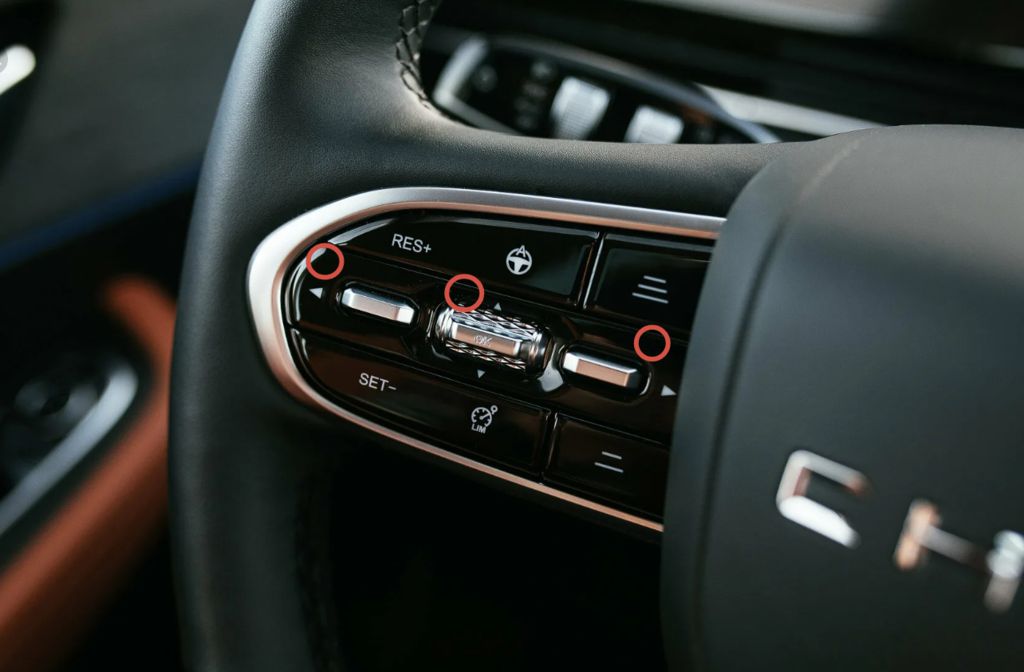
Okay, let’s dive right into the Omoda C5 dashboard. First up, the panel itself. It’s a pretty sleek-looking unit, I have to say. The size is generous, giving you plenty of real estate to display all the information you need. The resolution is sharp, making everything easy to read even in bright sunlight. I particularly like the way the graphics are rendered; they’re crisp and modern, not clunky or dated at all. The overall design is minimalist, which I appreciate – it’s not cluttered with unnecessary information. The physical buttons are well-placed and responsive, offering a good tactile feel. There’s a satisfying click when you press them, which is a nice touch. I found the angle of the panel to be perfect for visibility from the driver’s seat; no awkward head-tilting required. The materials feel premium too; it doesn’t feel cheap or plasticky at all.
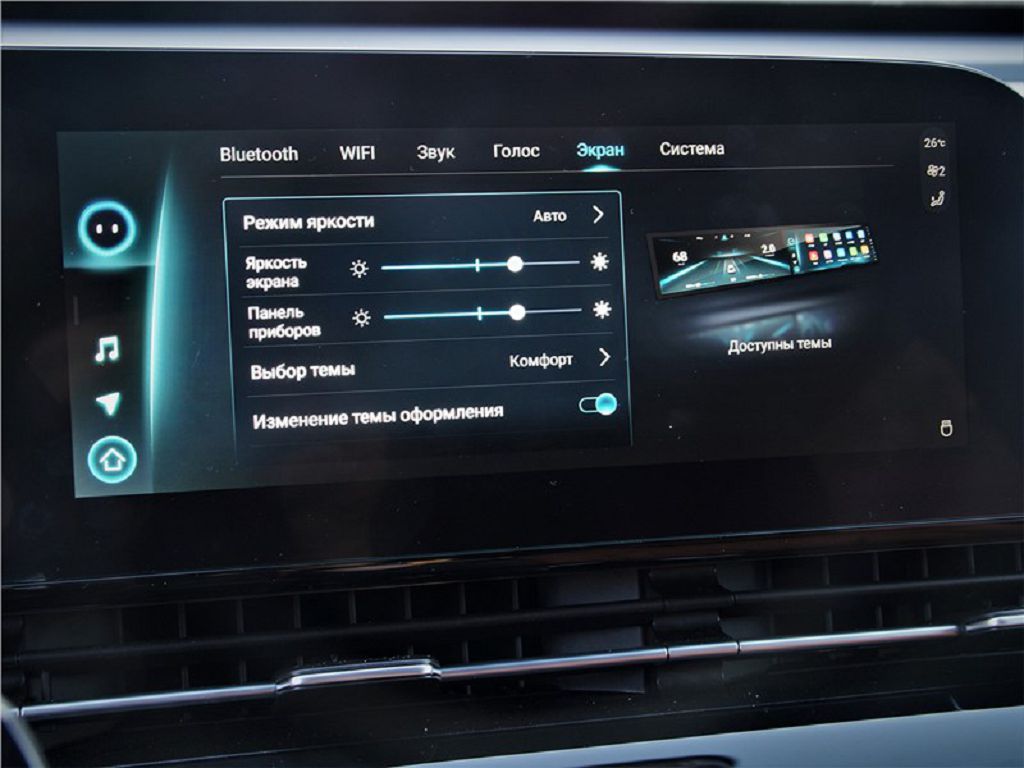
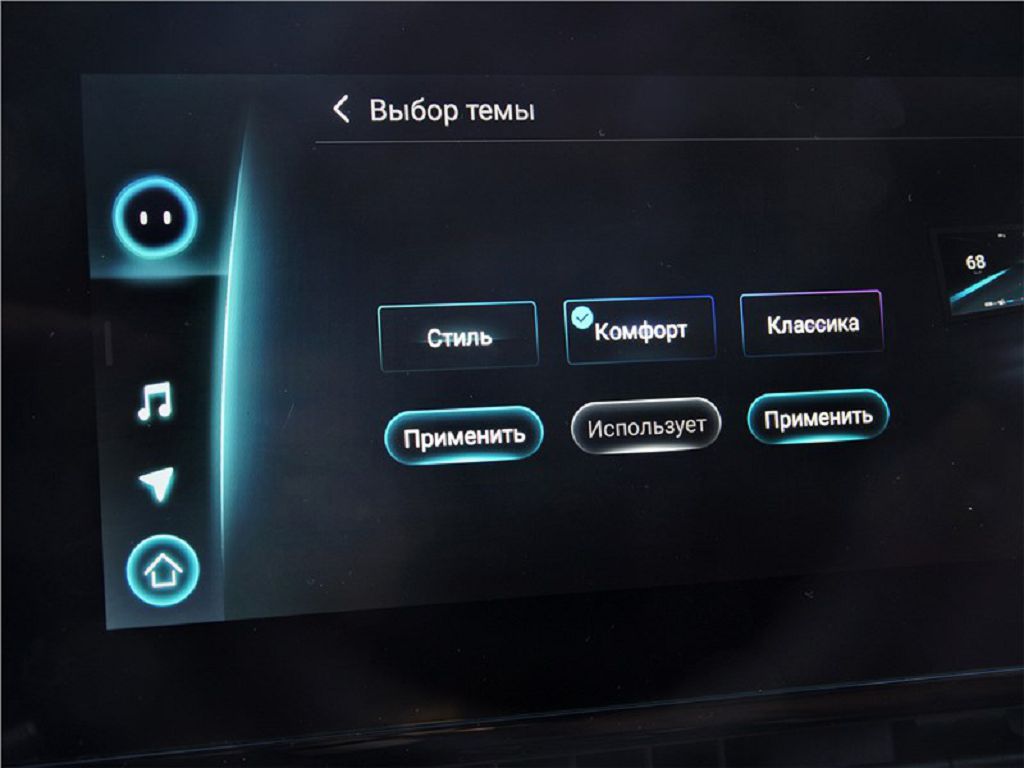
Now, let’s talk about brightness settings and theme selection. The brightness adjustment is incredibly smooth and responsive. You can easily dial it up or down to suit the lighting conditions, and there’s a wide range of adjustment, from super dim for night driving to bright enough to be easily visible on the sunniest day. I really appreciated the automatic brightness feature; it works flawlessly and adjusts the brightness seamlessly based on the ambient light. As for theme selection, the Omoda C5 offers a few different options. You can choose from a variety of color schemes, each with its own unique look and feel. There’s a classic mode, a sporty mode, and even a more minimalist option. Switching between themes is quick and easy, and it’s a nice way to personalize your driving experience. I found the sporty theme to be particularly appealing, with its vibrant colors and dynamic graphics.
Finally, let’s address the glitches. Now, I’ve been driving the Omoda C5 for a few weeks now, and while the dashboard is generally very reliable, I did encounter a couple of minor glitches. The first one was a bit of screen flickering that happened only once or twice. It was brief and didn’t affect the functionality of the dashboard, but it was noticeable. The second glitch was a bit more concerning. On one occasion, the navigation system briefly froze, and the screen went blank for about FIVE seconds before restarting. Again, it didn’t happen often, but it’s something to be aware of. I’ve also noticed a slight lag sometimes when switching between different menus or screens. It’s not a major issue, but it’s definitely noticeable. Overall, though, these glitches were infrequent and didn’t significantly impact my driving experience. I’d be interested to hear if other Omoda C5 owners have experienced similar issues. Let me know in the comments below!