So, let’s dive straight into the Haval Dargo’s OEM multimedia system. One of the first things that struck me was the sheer variety in the equipment offered depending on the trim level. You’ll find differences not just in screen size – some models boast a HUGE TEN-INCH display, while others might have a slightly smaller EIGHT-INCH screen – but also in processing power and features. Some versions come with navigation built-in, others rely on smartphone integration. The sound systems also vary considerably, with higher-end models offering more speakers and a more powerful amplifier. It’s definitely worth checking the specifications carefully before you buy to make sure you’re getting the features you want.
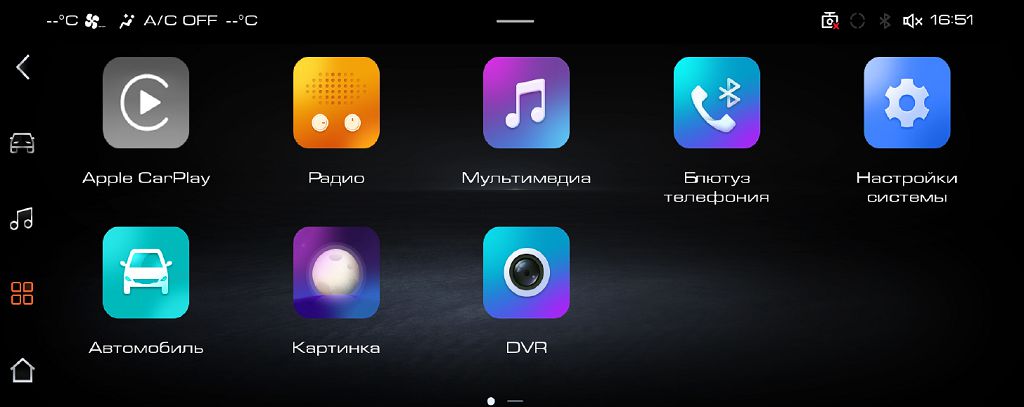
Now, let’s talk about the home screen. It’s pretty intuitive, I have to say. The layout is clean and uncluttered, which is a huge plus in my book. You’ve got your main media player controls front and center, easily accessible. Then you have shortcuts to navigation, phone, and settings, all clearly labeled and easy to find. The graphics are sharp and responsive, and the whole thing feels very modern and polished. I particularly liked the way the system dynamically adjusts the information displayed based on what you’re currently using. For example, if you’re using navigation, the map takes center stage, while if you’re listening to music, the album art and track information are prominent. It’s a well-thought-out design that prioritizes ease of use.
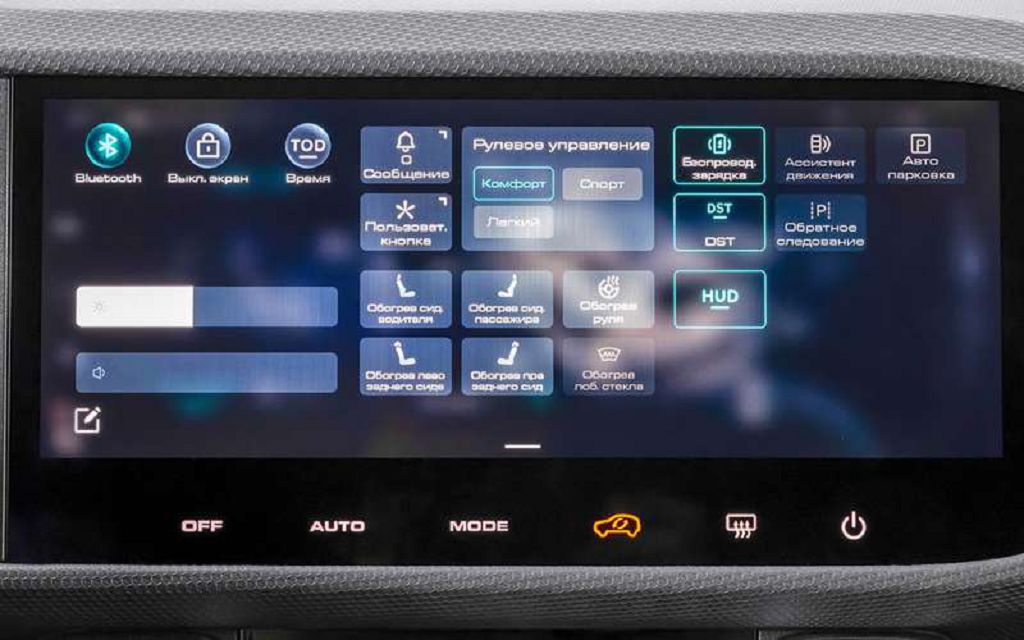
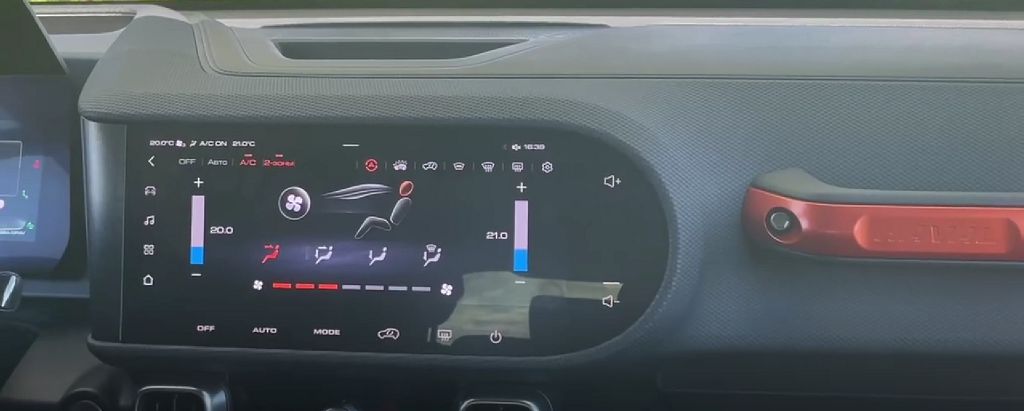
Finally, let’s look at the quick access toolbar. This is where things get really interesting. Haval has clearly put a lot of thought into making frequently used functions readily available. You can customize this toolbar to a certain extent, adding and removing shortcuts to your preferred apps and settings. I found this incredibly useful, as it allowed me to quickly access things like climate control, phone settings, and even certain navigation functions without having to dig through menus. The responsiveness of the toolbar is also excellent; there’s no lag whatsoever, which is crucial for a safe and enjoyable driving experience. The icons are clear and easy to understand, even at a glance, which is a testament to the user-centered design of this system. Overall, the Haval Dargo’s OEM multimedia system is a surprisingly sophisticated piece of kit, offering a level of functionality and user-friendliness that often surpasses what you find in vehicles at a similar price point.
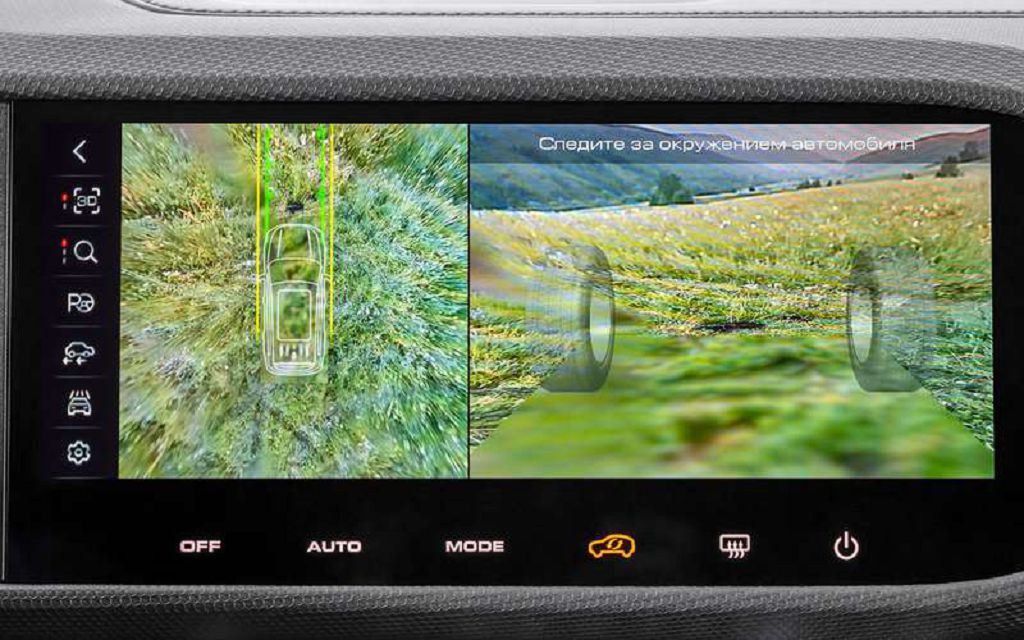
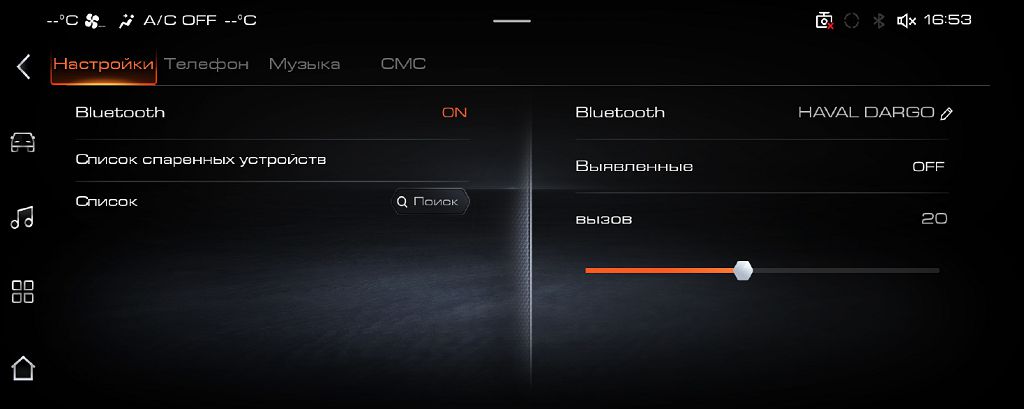
So, let’s dive straight into the Haval Dargo’s OEM multimedia system. First up, the system settings. Navigating through the menus is pretty intuitive, I’d say. You’ve got your usual suspects: audio settings, where you can tweak the equalizer to your heart’s content, adjust the balance and fader, and even mess around with the different sound modes – there’s a surprisingly good range of options there, from a really punchy bass-heavy mode to a more mellow, acoustic setting. Then there’s the display settings, where you can adjust the brightness, contrast, and even the color temperature. I found the default settings to be pretty good, but it’s nice to have the option to personalize things. Beyond that, you’ve got your connectivity settings – Bluetooth, obviously, for pairing your phone, and then there’s the USB ports, which I tested with a variety of devices, including my phone, a USB stick loaded with music, and even a portable hard drive – all worked flawlessly. There are also some less common settings, like parking sensor adjustments and even a few things related to the navigation system. Overall, the system settings are comprehensive and easy to navigate, which is a big plus.
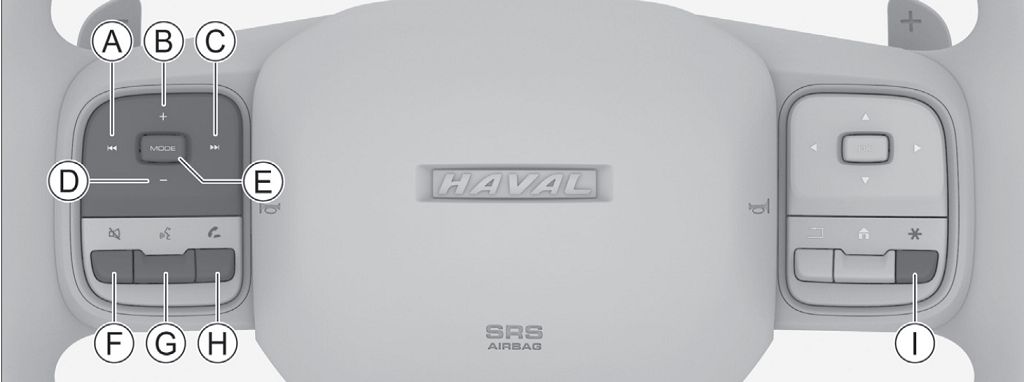
Next, let’s talk about the steering wheel controls. These are a game-changer, honestly. You’ve got dedicated buttons for volume control, track skipping, and answering calls – all easily accessible without taking your hands off the wheel. This is a HUGE safety feature, and it’s something I really appreciated. The buttons themselves are well-placed and have a nice tactile feel; they’re not flimsy at all. They’re responsive, too, which is crucial. I found myself using them constantly, and they never missed a beat. There’s even a voice command button, which I tested extensively. It’s not perfect, mind you – it struggles a bit with accents and background noise – but for basic commands like making calls or changing the music, it works surprisingly well. It’s a feature I found myself using more and more as I got used to it.
Finally, let’s look at what owners are saying about this system. The advantages are pretty clear from the online forums and reviews. Most owners praise the system’s responsiveness, the clear display, and the ease of use. Many appreciate the integration with their smartphones and the overall user-friendly interface. The sound quality also gets a lot of positive feedback, with many owners describing it as surprisingly good for a factory-installed system. However, there are some downsides mentioned by a few owners. Some complain about the occasional lag in the system, particularly when using the navigation. Others have reported minor glitches, like the system randomly restarting. These seem to be isolated incidents, though, and not widespread issues. A few owners also mentioned that the voice recognition could be improved, which echoes my own experience. Overall, the positive feedback far outweighs the negative, and most owners seem very happy with the Haval Dargo’s OEM multimedia system. It’s definitely a step up from what you might find in some other vehicles in this price range.