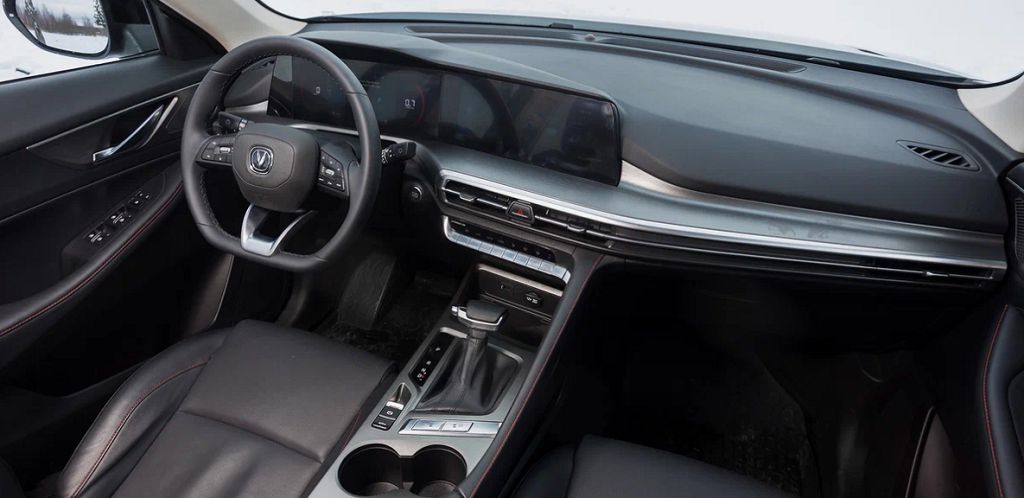
Hey everyone, let’s dive right into this Changan CS35/Plus/New OEM stereo upgrade. We’re talking about transforming that factory-installed system into something truly amazing. First, let’s talk about the multimedia capabilities.
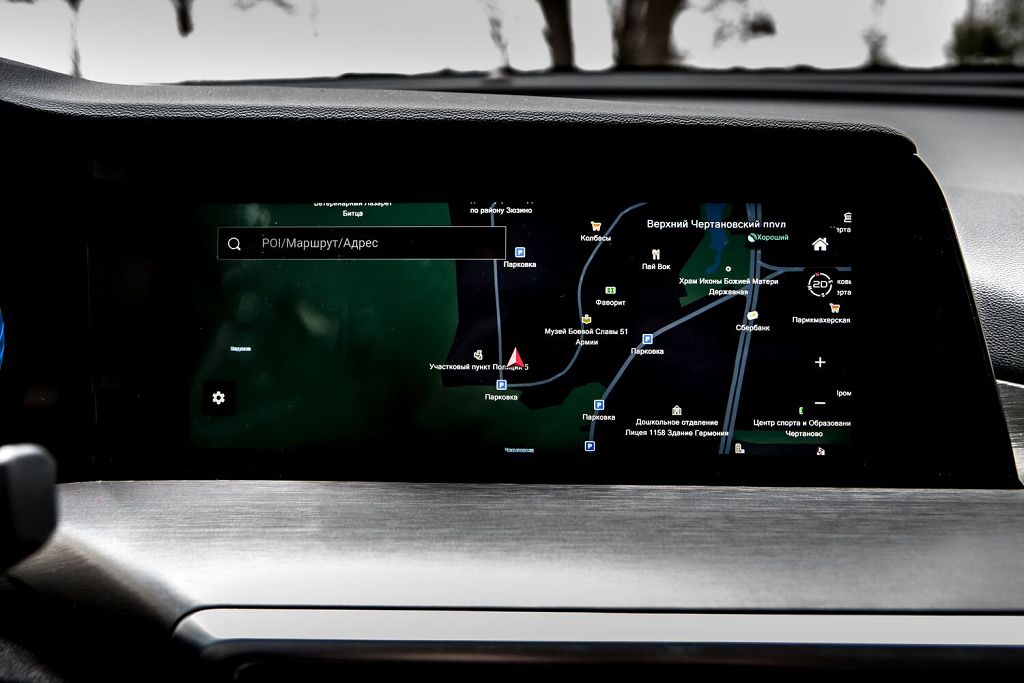
This isn’t your grandpappy’s car stereo. We’re talking about a significant leap forward in terms of what you can do with your in-car entertainment. Forget about limited radio stations and a clunky CD player. This system is packed with features. We’re talking about seamless smartphone integration, allowing you to mirror your phone’s screen directly onto the main display. This means you can access all your favorite apps, navigation systems, and music streaming services directly from the car’s interface. Think about the convenience of having Google Maps guiding you, or Spotify playing your favorite playlists, all controlled from the touchscreen. And it’s not just mirroring; the system is designed to work smoothly with both Android Auto and Apple CarPlay, ensuring compatibility with a wide range of devices. Beyond that, you’ve got built-in Bluetooth for hands-free calling and audio streaming, USB ports for charging and data transfer, and often even an SD card slot for expanding your music library. It’s a complete multimedia powerhouse, designed to keep you connected and entertained on every drive.
Now, let’s get a little more technical. The specifications of this OEM stereo are quite impressive. We’re talking about a high-resolution display, usually around EIGHT inches or larger, offering crisp and clear visuals. The processing power is surprisingly robust, allowing for quick response times and smooth operation, even with multiple apps running simultaneously. The audio output is also a significant upgrade from the standard factory system. You’ll find improved clarity, a wider soundstage, and a more powerful overall sound experience. Many units boast FOUR or SIX speaker setups, depending on the specific trim level of your Changan. The system often supports a variety of audio formats, ensuring compatibility with your entire music collection. And, of course, it’s all seamlessly integrated into the car’s dashboard, maintaining a factory-like fit and finish. It’s a significant upgrade without looking like an aftermarket add-on.
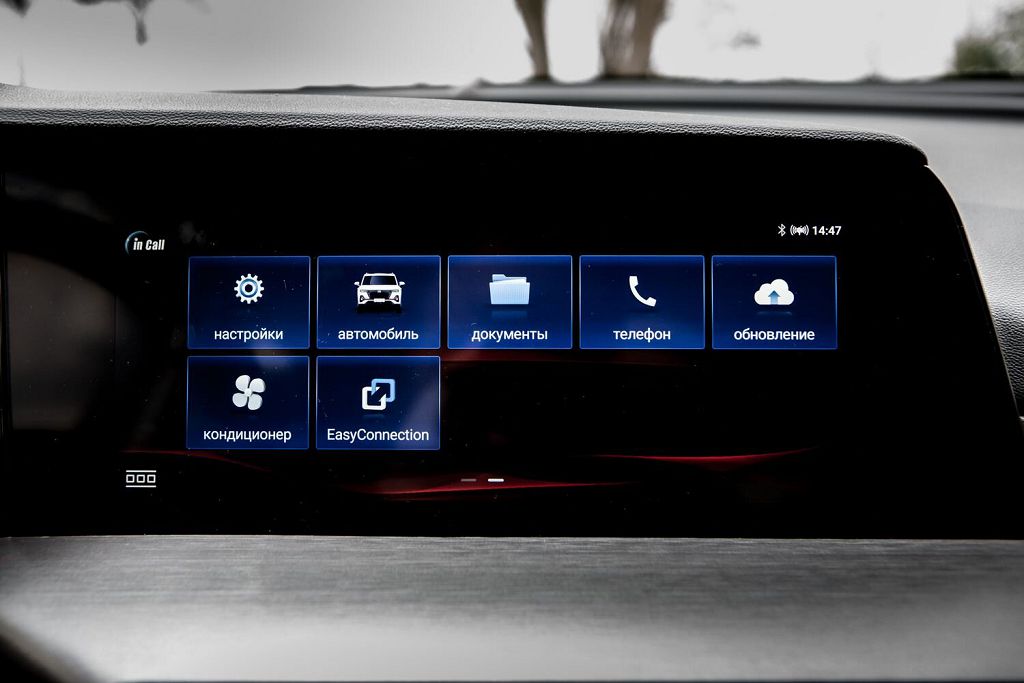
Let’s focus on the main screen itself. The display is the heart of this system, and it’s a real beauty. The high-resolution screen provides vibrant colors and sharp details, making everything from navigation maps to album art look stunning. The intuitive touchscreen interface is easy to navigate, even while driving. The icons are large and clearly labeled, and the menus are logically organized. You’ll find that controlling the system is a breeze, whether you’re adjusting the volume, changing the song, or navigating to a new destination. Many of these systems also include customizable settings, allowing you to personalize the display to your liking. You can change the background, adjust the brightness, and even choose different themes to match your personal style. The responsiveness of the touchscreen is also noteworthy; it’s quick and accurate, ensuring a frustration-free user experience. It’s a significant improvement over the often sluggish and unresponsive screens found in older factory systems. The screen itself is usually quite durable, resistant to scratches and fingerprints, ensuring it looks great for years to come. It’s a truly impressive centerpiece of this upgraded system.
Okay, let’s dive right into setting up this Android-based OEM stereo for the Changan CS35, CS35 Plus, and the new CS35. First, we’ll tackle the system setup. This is where you’ll initially connect to your Wi-Fi network. It’s pretty straightforward, much like any other Android device. You’ll find the Wi-Fi settings in the notification shade, usually accessed by swiping down from the top of the screen. Once connected, you’ll be able to download apps from the Google Play Store, just like on your phone or tablet. Remember to check your vehicle’s manual for any specific instructions regarding Wi-Fi connectivity, as some models might have slightly different procedures. Also, pay attention to the available storage space; you might want to consider using a microSD card for additional storage if you plan on downloading many apps or storing a large music library. Don’t forget to explore the various system settings, like display brightness, audio adjustments, and notification preferences. Getting these settings right will make your in-car experience much more enjoyable. You can also customize the home screen layout to your liking, adding widgets and shortcuts for quick access to your favorite apps. This is a really customizable system, so take your time and explore all the options.
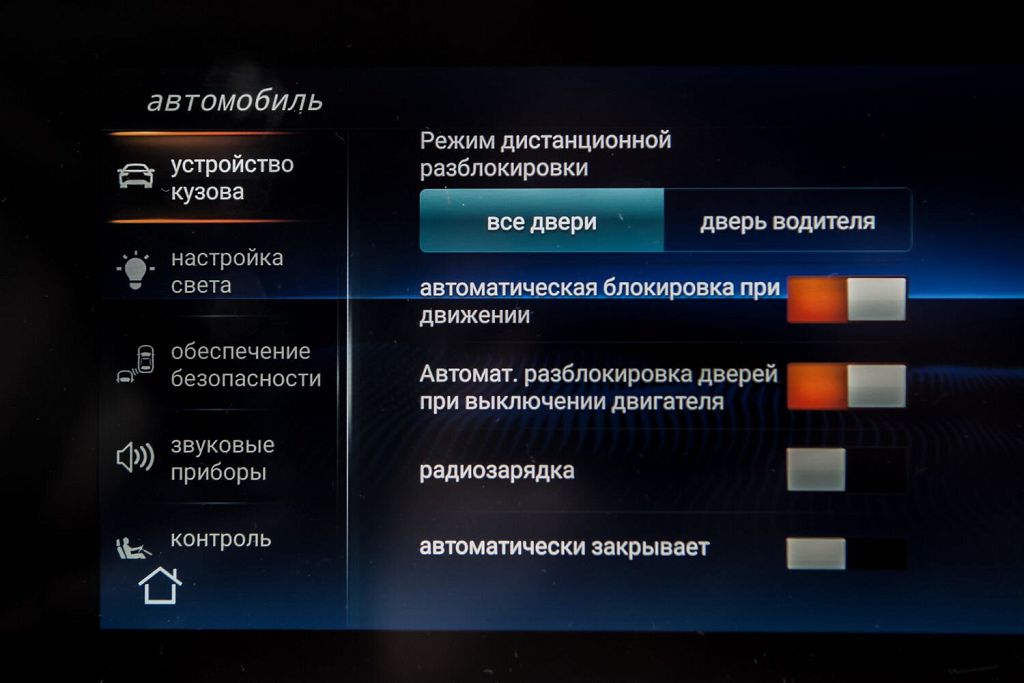
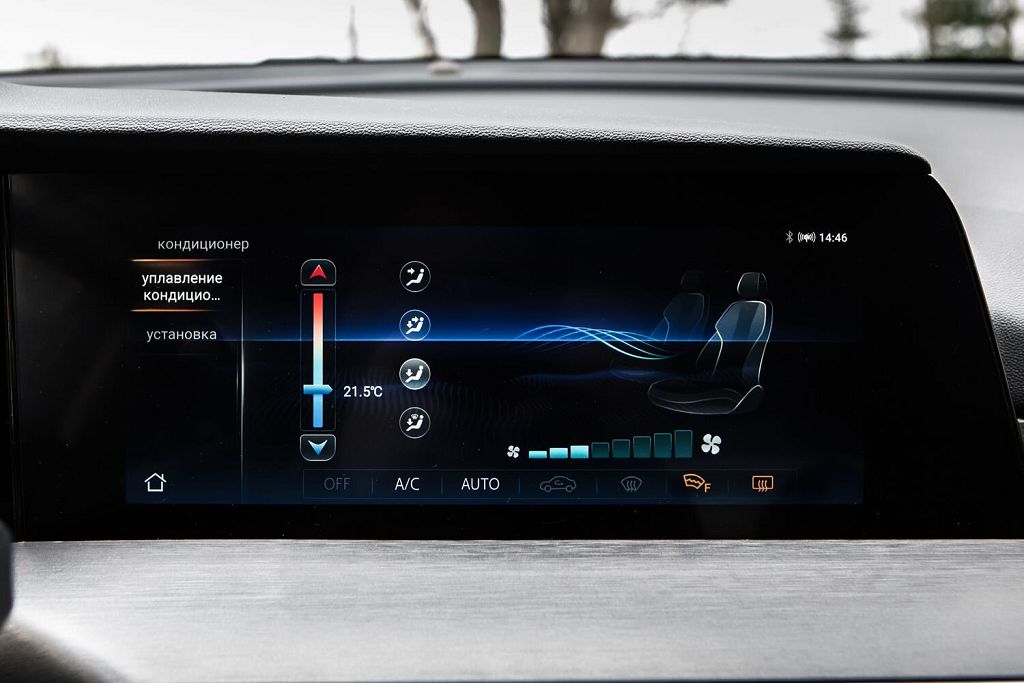
Now, let’s move on to vehicle settings. This is where things get interesting, as this system integrates quite well with the car itself. You’ll find settings to control things like the parking sensors, rearview camera display, and even potentially some climate control functions, depending on your specific Changan model. Pay close attention to the audio settings within the vehicle settings menu. You’ll likely find options for adjusting the equalizer, balance, and fader, allowing you to fine-tune the sound to your preferences. Some models might even offer advanced audio settings, such as subwoofer control or sound staging adjustments. Experiment with these settings to find the perfect audio balance for your car. Remember to check for any firmware updates within the vehicle settings menu, as these updates often include bug fixes, performance improvements, and new features. It’s a good idea to keep your system up-to-date for the best possible experience.
Finally, the big question: is it worth updating the firmware? Generally speaking, yes. Firmware updates often bring significant improvements to the system’s stability, performance, and functionality. They can fix bugs that might be causing glitches or crashes, improve the responsiveness of the interface, and even add new features. However, before you update, it’s crucial to back up your data. This way, if something goes wrong during the update process, you won’t lose any important information. Always check the release notes for the firmware update to see what changes it includes and to ensure it’s compatible with your specific Changan model. A stable and updated firmware will ensure a smoother and more enjoyable experience with your new Android-based OEM stereo. If you encounter any problems during the update process, consult your vehicle’s manual or contact Changan customer support for assistance. Remember, a little patience and careful attention to detail will go a long way in ensuring a successful firmware update.